One account for every company in your restaurant group
Your restaurants may belong to different companies, each with its own licence and VAT number. Waiteroo keeps every company apart where the law needs it, shares what you choose, and lets you see the whole group.
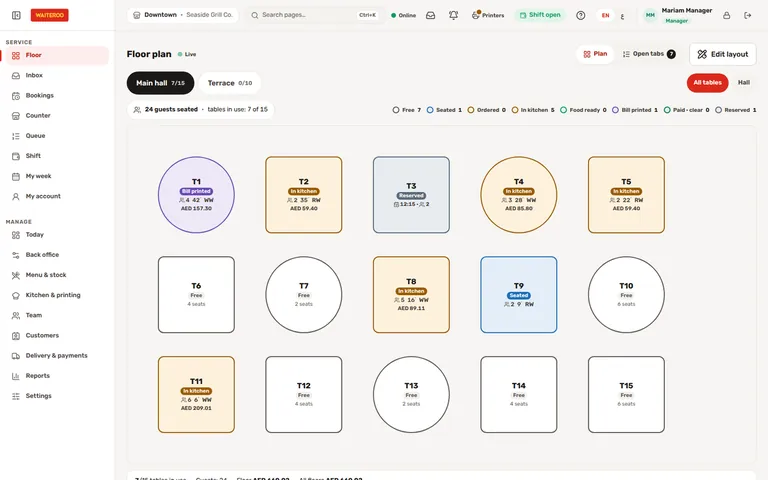
Each company stays its own business
Every branch belongs to a company, and everything that happens there is recorded in that company: the order, the receipt, the payment and the day close. One company never sees another company’s orders, staff or customers.
- VAT and receipts — each receipt carries the name and VAT number of the company that made the sale.
- Books — sales, payments and the day close are posted to that company’s own accounts.
- Numbering — orders are numbered per branch, and purchase orders and deliveries per company.
- Staff — a till lists only the staff of its own company.
- Always clear — the till and the back office show the company next to the branch name.
A menu for each company, shared dishes when you want them
Each company sells its own dishes, categories and meals. When several companies sell the same item, such as a drink on every menu, it is set up once as a group dish and appears on the menu of each company.
- VAT follows the seller — a group dish is sold with the VAT of the company that sells it.
- Branches of a company — all of them sell that company’s menu.
- Imports and ready menus — a menu imported from Excel or loaded from a ready menu goes into the company you are working in.
- QR menus — each company can have its own QR menu, and each branch its own menu and prices.
Branches under the same legal entity
Some groups register a branch as a branch company of the same legal entity: the same licence and VAT registration, with its own accounts and warehouse. Waiteroo treats such a branch as part of its parent company.
- From the parent — the menu, taxes, suppliers and promotions.
- Across the legal entity — customers and their order history, gift cards and store credit.
- Its own — accounts, stock, till sessions and orders.
- VAT changes — when the parent registers for VAT or deregisters, its branch companies follow and their tills update.
Each company in its own name
one WhatsApp number per company, shared by its branches, for receipts and messages to guests.
E-mails and alerts
scheduled reports go out under the company’s name, and owner alerts and the day summary come for each company.
Booking page
each company has its own online booking page. Bookings come with Pro and Premium.
Gift cards
gift cards and store credit work at every branch of the same legal entity, and not at another company of the group. Gift cards come with Premium.
Revisit loyaltyComing soon
each company will keep its own Revisit members.
Each company on its own, and the group together
Export a report that covers branches of several companies to Excel, and it has one part for each company, with its own figures, currency and VAT status, followed by the group total.
- One currency, one total — the group total appears only when every company uses the same currency. Amounts in different currencies are never added together: each company is shown on its own.
- Every branch together — on Premium, report on all your branches together or one at a time.
- Excel in English or Arabic — each part is headed with the company’s name and currency.
Inside your ERP, or Waiteroo on its own
If your group already runs its accounting, purchasing and HR in an ERP with Pandoratech, Waiteroo can run inside that same database. Your books stay in the ERP, and each closed day is posted to the right company there.
Without an ERP, Waiteroo runs on its own, with the same companies, menus and reports.
- Office team — accounts and HR staff keep working in the ERP’s back office.
- Restaurant team — cashiers, waiters and kitchen staff only use Waiteroo.
- Same sign-in — tills, waiter phones, kitchen screens and kiosks sign in with your usual Client ID.
How we set up your group
the companies, their VAT numbers and currencies, and the branches of each.
our team adds the companies and branches to your account and puts each dish in the right company.
your staff sign in on the tills and phones as usual, and every branch works in its own company.
Questions and answers
Do I need a separate account for each company?
Can two companies sell the same dish?
Can a guest use a gift card from one company at another?
Our companies use different currencies. What do the reports show?
I have one restaurant. Does any of this change my screens?
Running several companies?
Tell us how your group is set up, on WhatsApp or through our contact page, and our team will set up your companies with you.