Plan the week, see who came in and share the tips fairly
Plan each branch’s shifts for the week and publish them to your team. Waiteroo compares the rota with clock-ins, shows labour cost against sales and shares the day’s tips by the rule you choose.
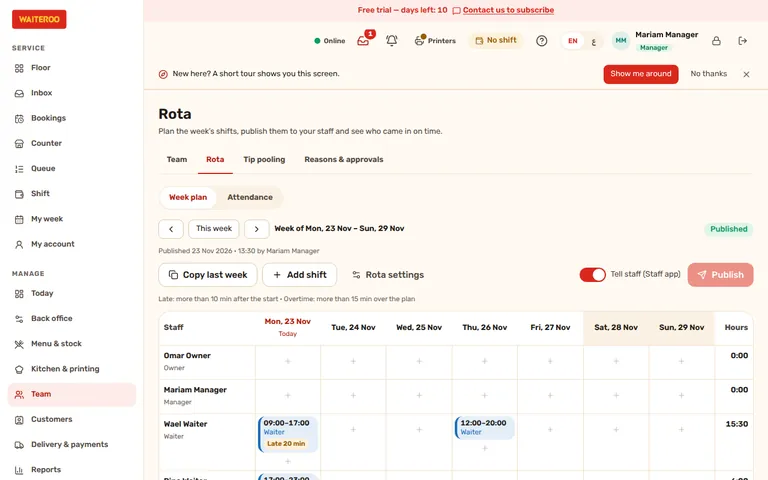
The week’s shifts, published to your team
Plan the week for each branch: who works, the start and end times, the break and the role. A shift can run past midnight. Copy last week to start faster, then publish; staff see only published shifts, under My week on the till or their phone.
- No clashes — one person cannot have two shifts at the same time, in any branch.
- Late, absent, overtime — clock-ins are compared with the rota: late after your grace time (10 minutes by default), absent when the shift ended with no clock-in, overtime past your threshold.
- Not clocked in — someone whose shift started without a clock-in appears on the Today to-do list.
- Plans — the rota and labour cost come with Pro and Premium.
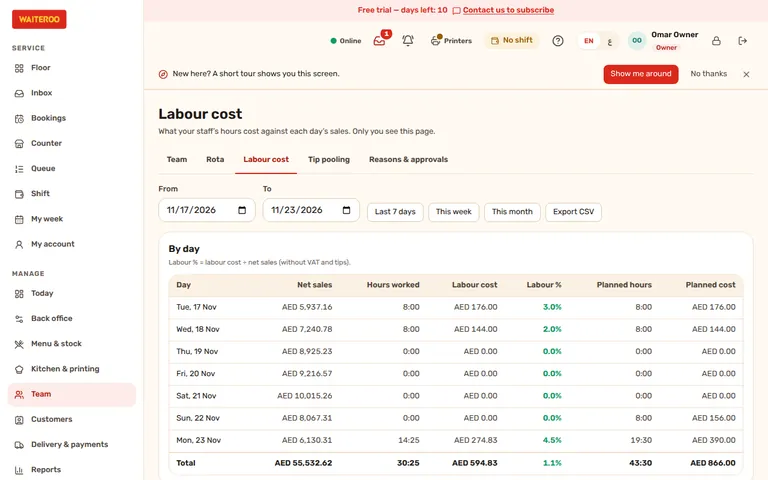
Labour cost against sales, day by day
The owner sets each person’s hourly rate and the date it starts. Labour cost then shows, for each day and branch, the hours worked, their cost and the labour percentage of net sales, next to the planned hours and planned cost. A pay rise starts on its own date and never changes past days. Only the owner sees rates and labour cost.
Share the day’s tips by your rule
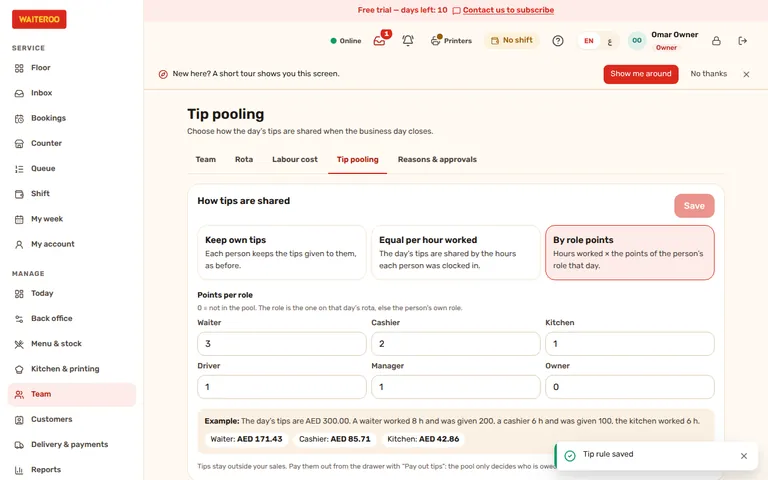
The owner picks the rule for each branch: each person keeps their own tips, the day’s tips are shared equally per hour worked, or by points for each role. The pool shares exactly the tips on the day’s Z report, which shows the tips for each person.
- Nothing changes until you choose — “keep own tips” is the default, as before.
- Staff see their share — what they earned, what was paid out and what is still owed, under My week.
- Every plan — tip pooling comes with Starter, Pro and Premium.
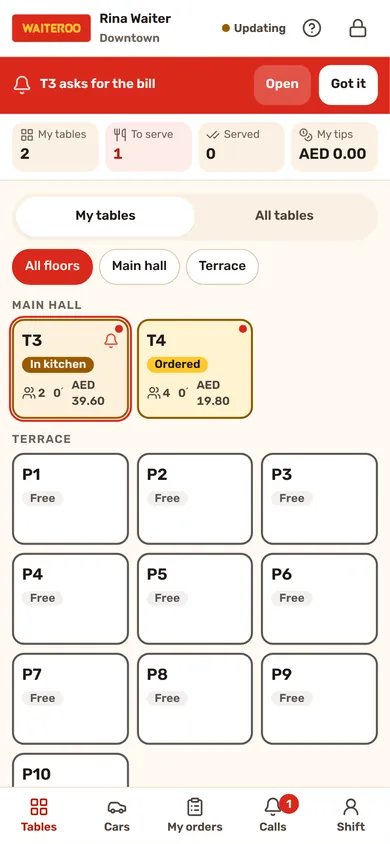
My shift, My day and My week
Each person sees their own figures, never a colleague’s.
- My shift — a cashier taps the shift button on the till to see their own sales, tips, refunds, voids and the cash expected in the drawer. With blind close on, the drawer is counted without seeing the expected amount.
- My day — on the waiter phone, a strip shows the waiter’s tables, orders to serve, orders served and tips today.
- My week — published shifts for the week and the tips earned.
Questions and answers
Which plans include the rota?
Who sees hourly rates?
How are tips shared by role points?
Related
Try Waiteroo in your restaurant free for 14 days
No card needed. Set it up yourself or let our team do it, and ask us anything on WhatsApp.