Happy hour that runs itself
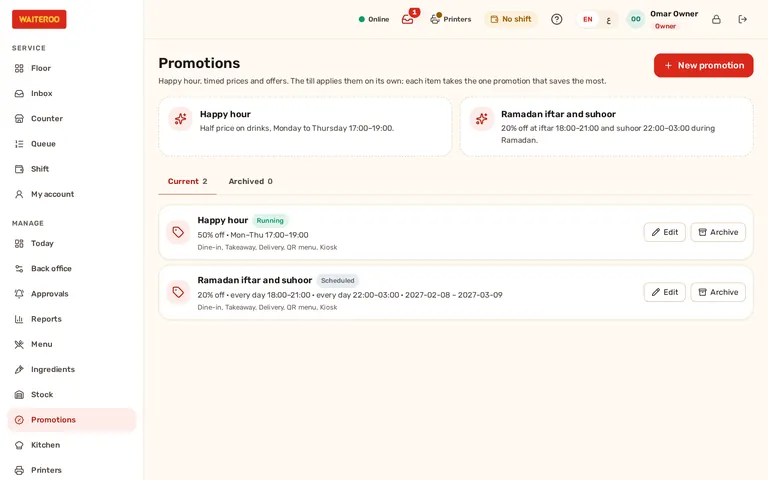
Set a promotion once in the back office: what it applies to, which days and hours, which branches and which kinds of order. From then on the till applies it by itself, the bill shows it and the receipt names it.
Five kinds of promotion
Percent off
For example 20% off every drink, add-ons included.
Amount off each
A fixed amount off each item, never below zero.
Special price
The item’s price becomes, say, AED 5 during happy hour; add-ons are still charged.
Buy X get Y free
The cheapest items of each group are free, for example buy 2 get 1.
Money off the order
A fixed amount off the order, above a minimum if you set one.
Days, hours, branches and channels
Each promotion has its own days and time windows, dates and branches. A window can run past midnight and belongs to the day it starts. Ready-made templates set up a happy hour or Ramadan iftar and suhoor prices in a few taps.
- Channels — dine-in, takeaway, your own delivery, QR menu and kiosk orders; choose which ones each promotion covers.
- Tabs across the hour — a tab still open when happy hour ends keeps the happy-hour price on what was ordered in time; the next round is charged in full.
- The best deal, once — each item gets the one promotion that saves the most, and a promotion never stacks with a hand discount.
- Offline too — counter cash orders taken offline get the promotion, and the server checks it when they arrive.
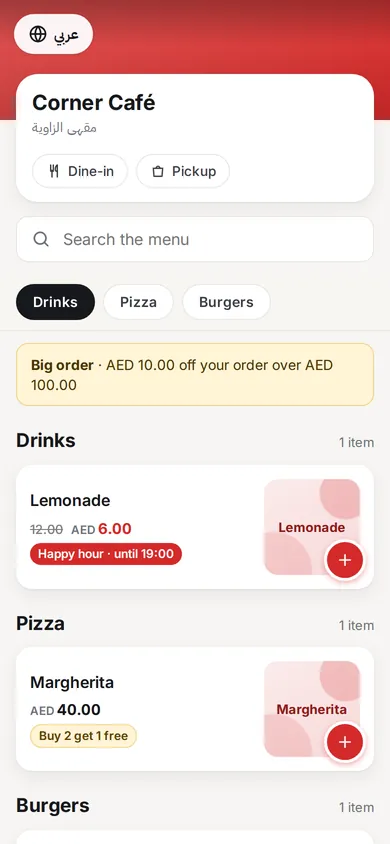
- Shown to guests — the QR menu and the self-order kiosk show the offer price with the regular price struck through, before the guest orders.
Clear on the bill, the receipt and the reports
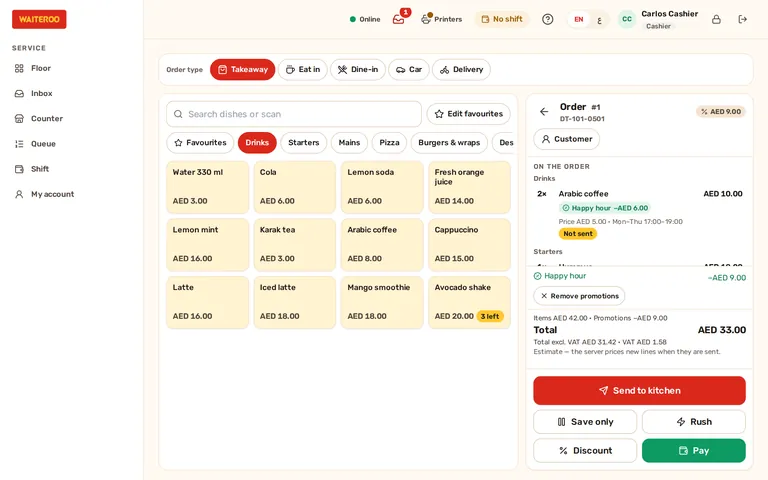
The order shows each promotion on its line and the total saved, and the totals add up exactly as on the receipt, with VAT worked out on the reduced price. Taking a promotion off an order needs a manager’s approval. The discount report lists what each promotion gave away.
Questions and answers
Which plans include promotions?
Can a happy hour run only on weekdays?
What happens to a table that ordered during happy hour?
Can staff remove a promotion?
Try Waiteroo in your restaurant free for 14 days
No card needed. Set it up yourself or let our team do it, and ask us anything on WhatsApp.