Your restaurant today, on one screen
Sign in as the owner or a manager on your phone or computer and Waiteroo opens on Today: the day’s sales against the same time last week, what needs someone right now, and what is happening on the floor and in the kitchen.
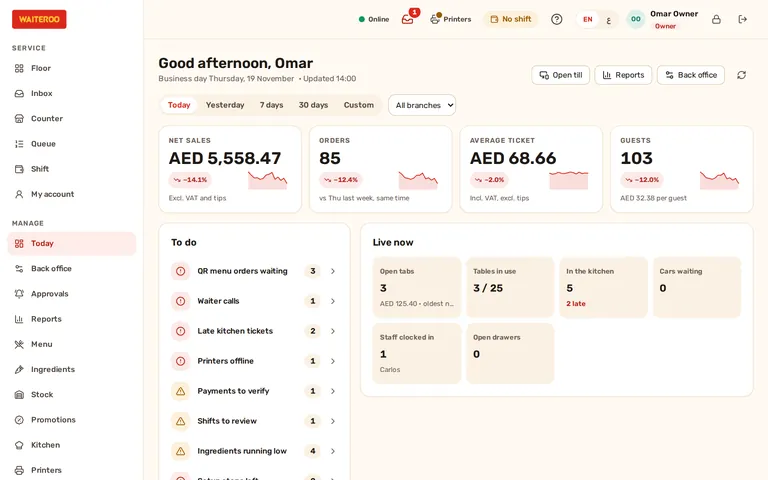
Sales against last week, at the same time of day
Net sales, orders, average ticket and guests, each compared with the same weekday last week up to the same time, with a short trend line. Switch to yesterday, the last 7 or 30 days, or your own dates.
- To do — only what is waiting, most urgent first: QR orders to accept, waiter calls, late kitchen tickets, printers offline, payments to verify. Each line opens the screen that fixes it.
- Live now — open tabs, tables in use, the kitchen queue, cars waiting, drivers out, staff clocked in and open cash drawers.
- All branches — on Premium, see every branch together or one at a time.
- On a till — a till keeps its own start screen, with Today first in the menu. Cashiers and waiters do not see it.
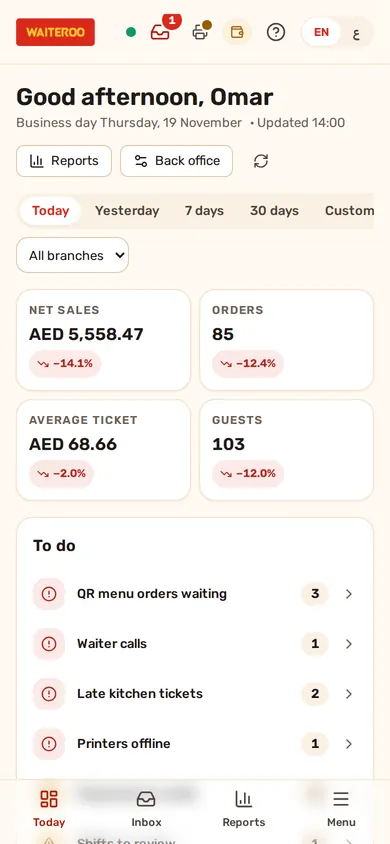
A summary when the day closes
When you close the business day, Waiteroo writes a short summary from the Z report: net sales and orders against the same day last week, the average ticket, cash over or short, voids, discounts, refunds and the top dishes. Anything unusual comes first, such as a cash difference above your limit, more voids than usual or a day that closed much later than normal.
The latest summary is in Settings. Owners can also have it sent to their own WhatsApp once the restaurant’s WhatsApp number is linked. The day summary comes with every plan.
Ask guests how their visit was
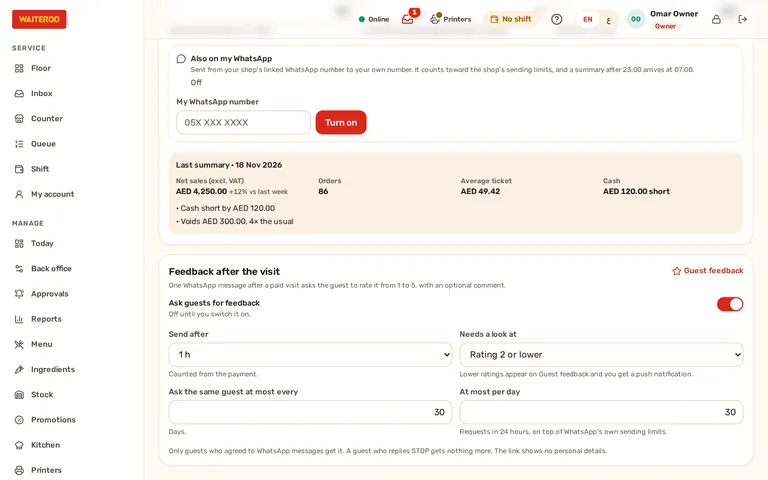
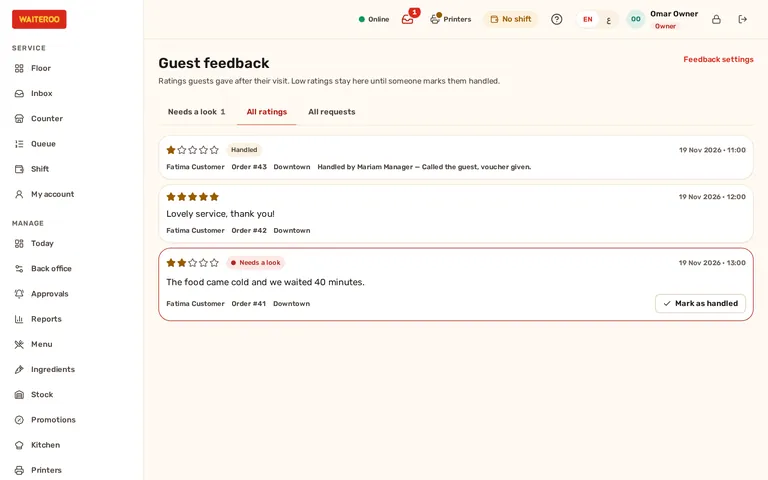
Switch it on and, an hour after a paid visit (or the delay you choose), the guest gets a short WhatsApp message with a link to rate the visit from 1 to 5 and leave a comment. Low ratings appear in Guest feedback and on the owner’s To do list, and a manager marks each one as handled with a note.
- Only with consent — sent only to guests who agreed to WhatsApp messages from you, never to one who replied STOP.
- Not too often — once every 30 days per guest and up to 30 requests a day by default; you can change both.
- Private — the rating page shows your restaurant’s name and the day of the visit, nothing else.
- Your choice — off until you switch it on. Guest feedback comes with Pro and Premium.
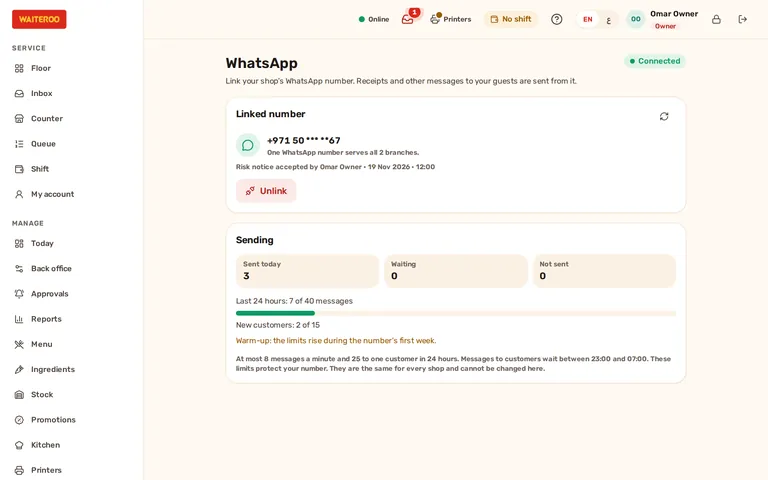
Your restaurant’s own WhatsApp number
Link the restaurant’s WhatsApp number in the back office: read and accept the risk notice, then scan the QR code. The screen shows whether it is connected, what was sent today and the sending limits. One number serves all your branches. Only the owner can link or change it; managers see the status.
WhatsApp receipts, guest feedback requests and the owner’s day summary are sent from this number. Linking comes with every plan.
Alerts to your phone when something needs you
Turn on alerts for this phone’s browser in Settings, then choose what reaches you straight away. Each alert names the branch and opens the screen that deals with it. Alerts never carry guest names or phone numbers.
- Printer or print hub offline — on from the start: a printer not seen for 10 minutes while the day is open.
- Large refund or void — from the amount you set, AED 200 by default.
- Cash difference — a drawer short or over at the close by more than your limit.
- Day not closed — the business day still open at the time you set.
- Plan — a new till refused at your plan’s till limit, and the free trial ending.
- Your hours — set quiet hours, and let branch managers get the alerts too. Alerts come with every plan.
Questions and answers
Can managers see the dashboard?
Are the figures with or without VAT?
Will guests get messages they did not ask for?
Which plans include this?
Try Waiteroo in your restaurant free for 14 days
No card needed. Set it up yourself or let our team do it, and ask us anything on WhatsApp.