Stay in control without standing at the till
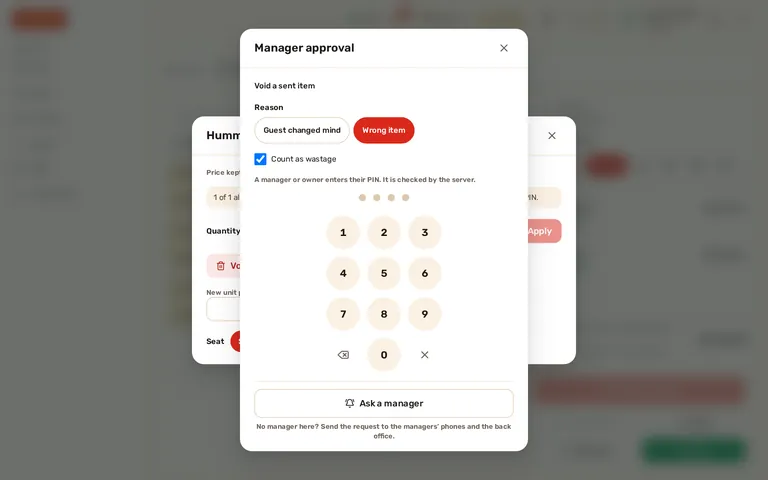
Discounts above a staff member’s limit, voids after the kitchen has the order and refunds need a manager. A manager on the floor enters a PIN; a manager who is away approves from a phone. Either way, the audit log records who asked, who approved and how.
Approve from your phone
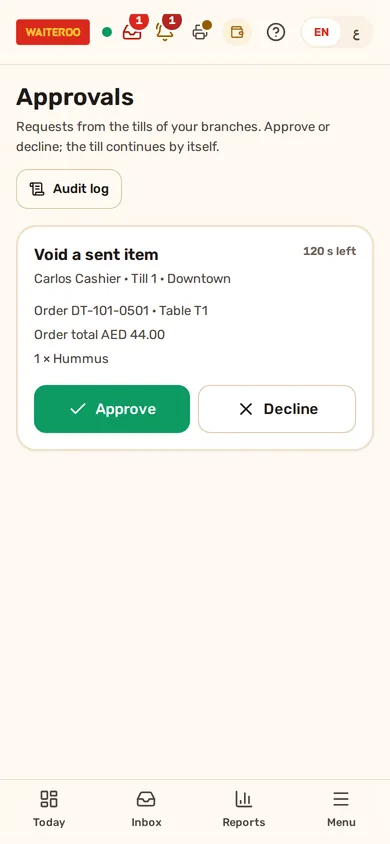
When no manager is near the till, the cashier taps “Ask a manager”. The request reaches the managers and owners of that branch in the back office, on a phone or a computer: the action, the amount or percentage, the reason, the staff member, the till, the order and the table. Approve or decline, with a note if you like, and the till carries on by itself.
- One approval, one action — it works once, on that till, for that person, that item and that exact amount.
- Requests expire — after 2 minutes by default; the owner chooses between 1 and 10 minutes.
- The PIN still works — the cashier can switch to a manager PIN or cancel at any time.
- Every plan — on by default; the owner can switch it off in Settings.
Who did what, when and on which till
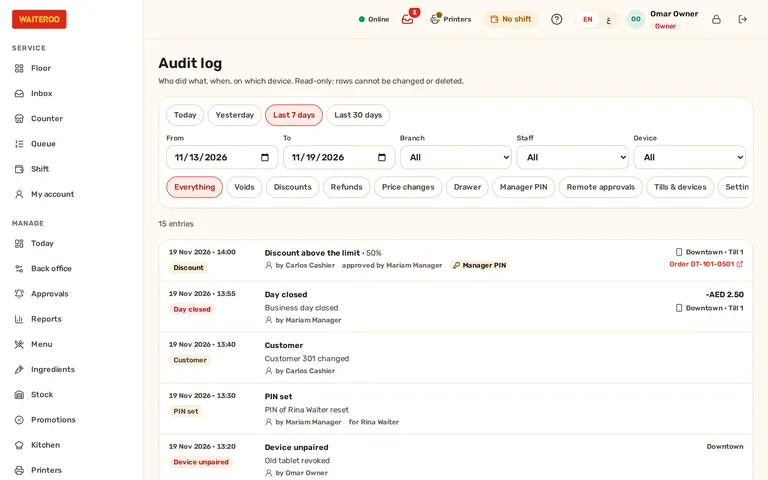
The audit log lists every controlled action: voids, discounts, refunds, price changes, payment corrections, cash in and out, reopened bills, opening and closing the day and the drawers, receipt reprints, devices paired or removed, settings and staff PIN changes. Each row shows when, who did it, who approved it and how (own permission, manager PIN or approved remotely), the reason, the amount, the branch and the device, with a link to the order.
- Filters — by period, branch, staff member, device and kind of action. The filters stay in the link, so you can share a view.
- Read only — nobody can change or delete a row, the owner included.
- The right people — owners see every branch; managers see their own branches.
- No customer data — orders appear by their reference only.
A limit for each staff member
Each staff member has a role, their own PIN and their own discount limit. Above the limit, for a void after the kitchen has the item, or for a refund, the till asks for a manager. The PIN is checked by the server, and each approval works only once.
Questions and answers
Where do managers see the requests?
What if nobody answers?
Can anyone delete an entry from the audit log?
Which plans include this?
Try Waiteroo in your restaurant free for 14 days
No card needed. Set it up yourself or let our team do it, and ask us anything on WhatsApp.